![pascal_logo.png]](https://help.vartion.com/hs-fs/hubfs/pascal_logo.png?width=160&height=42&name=pascal_logo.png)
When a Pascal case is linked to a HubSpot Contact or Company, the screening results appear in the Screening resolvement card.
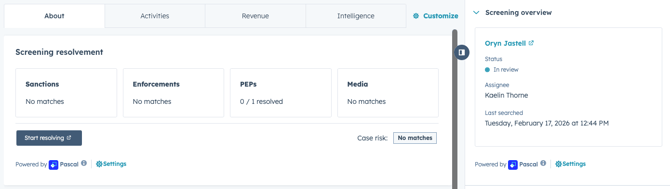
If results found need to be reviewed in more detail to verify their relevance, you can do so by using the Start resolving button in the Screening resolvement card. You are then redirected to the Pascal application where you can view the details of the results.
This documentation, including images, videos and text, is accurate as of Version 7.10 of Pascal.
We strive to keep our documentation up to date with each release to ensure it remains a reliable resource for our users. However, given the dynamic nature of our software development, there might be instances where changes introduced in subsequent versions are not immediately reflected in this documentation. We encourage users to refer to the latest release notes and to use the feedback mechanism for any discrepancies or requests for clarification.